Parking in Abu Dhabi: How to Pay Parking in Abu Dhabi, the full guide of Mawaqif payment methods.
-
 Fatima Saif
- . November 22, 2025
- . Update: November 22, 2025 3:07 am

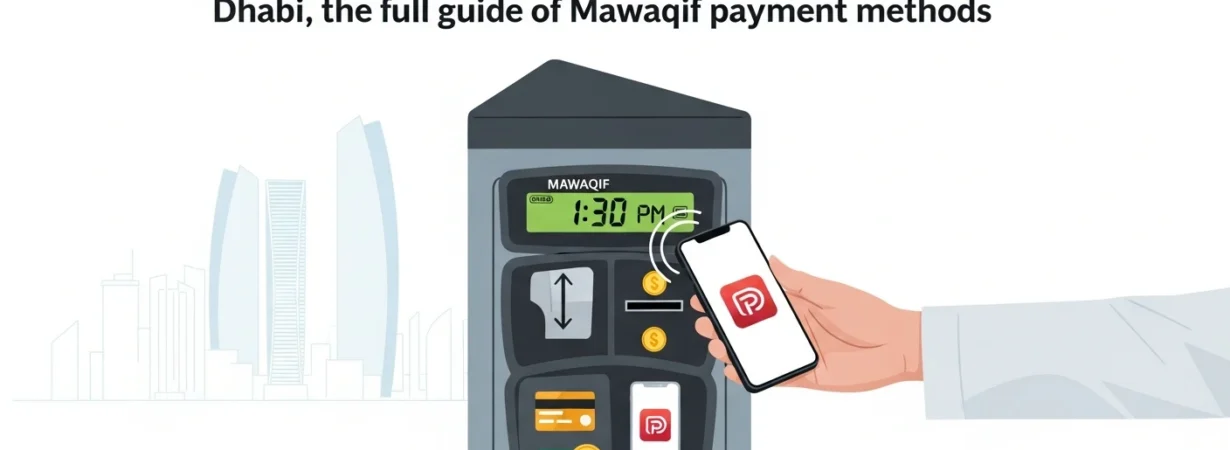
It is important to learn about how to pay for parking in Abu Dhabi to avoid the fines and to make the parking experience in the city efficient. Abu Dhabi has a number of convenient methods of payment, which include: SMS to 3009, Darb app, Parkin app, parking meter, rechargeable Mawaqif card, and online payments, including TAMM and Q Mobility. Both systems enable individuals to pay quickly by entering their car number and choosing the necessary time of parking. This is a step-by-step guide to the different payment options, so anyone can handle his or her parking session with great ease in Abu Dhabi under Mawaqif.
Knowledge about Mawaqif Parking in Abu Dhabi.
The official paid parking system in Abu Dhabi is called Mawaqif, and it is aimed at managing the number of parking spaces and ensuring a traffic flow without congestion. You need to select the right type of parking bay, Standard (S) or Premium (P), and pay within minutes, whether you are staying in the parking lot of the store for just a few minutes or even several hours. The Emirate has both digital and physical methods of payment to ensure that drivers choose the most convenient one.
1. Parking in Abu Dhabi through SMS (3009).
One of the fastest and most convenient ways to pay for parking is using SMS, especially when a no-app solution is needed by an individual.
Steps to Pay by SMS:
- Launch the messaging service on your phone.
- Write the new message with the following format (including spaces):
- In the case of Abu Dhabi, the code of the city is AUH.
- Example: AUH 12345 S 2
- Plate Number: Digits on your plate number (i.e., 12345).
- Parking Type:
- S → Standard Parking
- P → Premium Parking
- Duration: How many hours would you like to park (e.g., 1, 2, 3).
- Send the SMS to 3009.
Once the payment has been made, you will get a confirmation message that your parking session has started.
This is the best way to use for users who do not have access to mobile internet or lack app services.
2. Paying for Parking with the Darb App.
The Darb app is a convenient application for parking in Abu Dhabi.
How to Use the Darb App:
- Install the Darb application in your Apple/Google Play Store.
- Create an account with your Emirates ID or with your simple personal information.
- Include your car number.
- Tap “Pay for Parking”.
- Punch in the number on the parking sign.
- Select parking time.
- Full payment with your favorite digital payment.
The application also reminds you of a lapse in time before you run out of time, so you can find it easier to extend your time without being in your car.
3. Parking through the Parkin App.
The Parkin app operates like Darb, and it is popular within the city of Abu Dhabi.
Steps to Pay with Parkin:
- Install the Parkin app.
- Register or sign in.
- Add your car details.
- Select your parking zone.
- Set the duration.
- Make the payment.
Both the Darb and Parkin apps have an easy-to-use interface and are convenient to use.
4. Additional Parking Fee Modalities in Abu Dhabi.
There are physical parking meters in the surroundings of numerous commercial areas. Simply:
- Add a credit/debit card or another payment option.
- Select duration.
- Take your receipt where there is one.
- Rechargeable Mawaqif Card
- A physical Mawaqif card can be purchased and replenished at specific points. The card comes in handy when you park a lot in paid areas and do not want to use applications and/or SMS.
- TAMM / Q Mobility Online payment.
You can use these government platforms to pay for parking. All one needs to do is log in, add vehicle details, select a zone, and pay digitally.